Openbravo Issue Tracking System - POS2 |
| View Issue Details |
|
| ID | Project | Category | View Status | Date Submitted | Last Update |
| 0058170 | POS2 | POS | public | 2025-03-06 16:44 | 2025-03-27 12:21 |
|
| Reporter | jinigo | |
| Assigned To | Triage Platform Base | |
| Priority | normal | Severity | minor | Reproducibility | always |
| Status | closed | Resolution | duplicate | |
| Platform | | OS | 5 | OS Version | |
| Product Version | | |
| Target Version | | Fixed in Version | | |
| Merge Request Status | |
| Review Assigned To | |
| OBNetwork customer | No |
| Support ticket | |
| Regression level | |
| Regression date | |
| Regression introduced in release | |
| Regression introduced by commit | |
| Triggers an Emergency Pack | No |
|
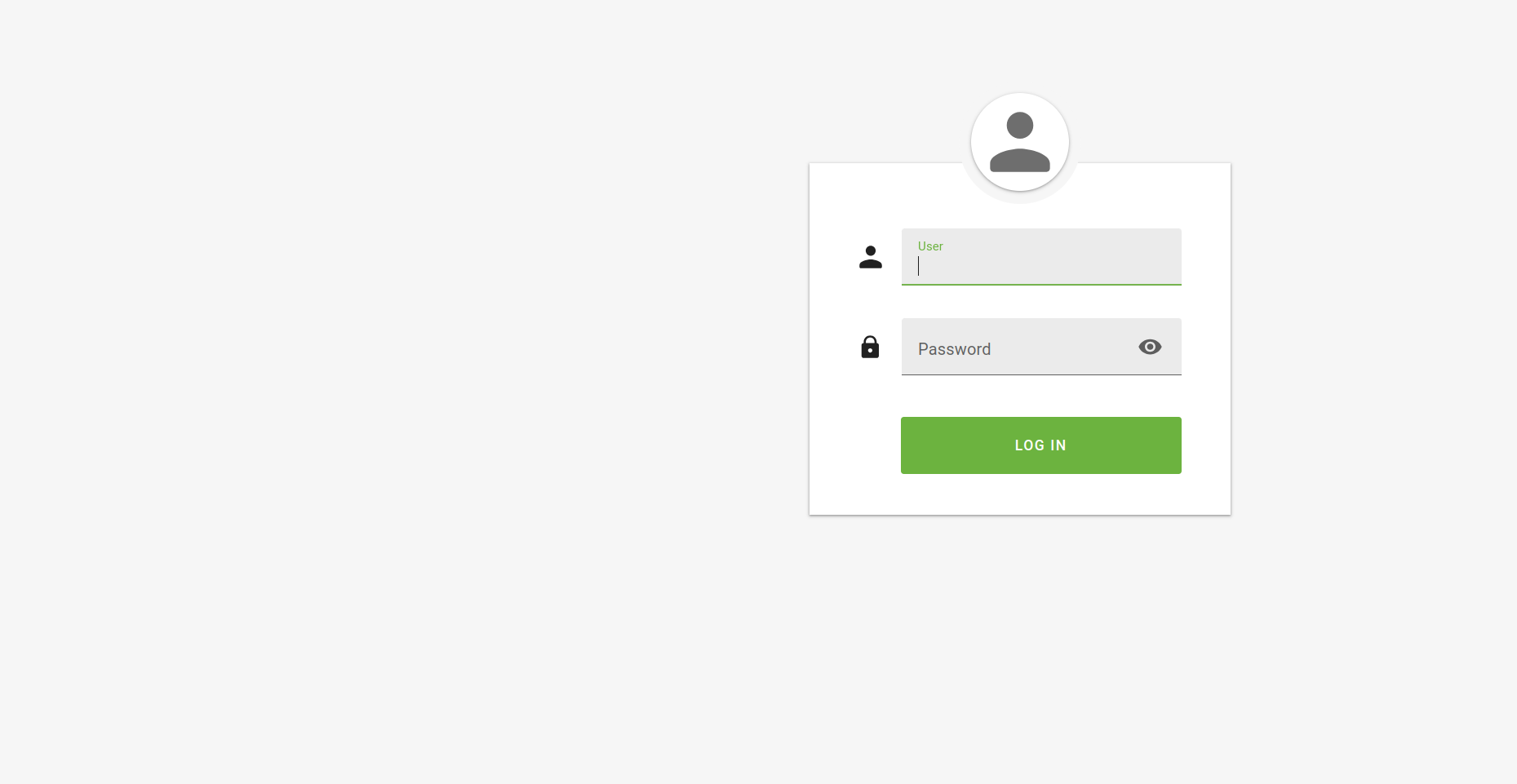
| Summary | 0058170: [25Q1] Login page is not correctly displayed after closing the till while offline |
| Description | After doing close till while offline, the log in screen is not displayed correctly. The login form is displaced and the available users are not shown. |
| Steps To Reproduce | 1. Log in to POS2
2. Go offline
3. Close Till
Actual result: The available users are not shown and the login form is displaced.
Expected result: Log in screen is correctly displayed |
| Proposed Solution | |
| Additional Information | |
| Tags | No tags attached. |
| Relationships | |
| Attached Files |  Login page after closing till while offline.png (25,147) 2025-03-06 16:45 Login page after closing till while offline.png (25,147) 2025-03-06 16:45
https://issues-new.openbravo.com/file_download.php?file_id=21015&type=bug
|
|
| Issue History |
| Date Modified | Username | Field | Change |
| 2025-03-06 16:44 | jinigo | New Issue | |
| 2025-03-06 16:44 | jinigo | Assigned To | => Retail |
| 2025-03-06 16:44 | jinigo | File Added: Login page after closing till when offline.png | |
| 2025-03-06 16:44 | jinigo | OBNetwork customer | => No |
| 2025-03-06 16:44 | jinigo | Triggers an Emergency Pack | => No |
| 2025-03-06 16:44 | jinigo | File Deleted: Login page after closing till when offline.png | |
| 2025-03-06 16:45 | jinigo | File Added: Login page after closing till while offline.png | |
| 2025-03-06 16:49 | jinigo | Steps to Reproduce Updated | bug_revision_view_page.php?rev_id=29320#r29320 |
| 2025-03-07 10:38 | jorgewederago | Assigned To | Retail => Triage Platform Base |
| 2025-03-27 12:21 | hgbot | Note Added: 0177614 | |
| 2025-03-27 12:21 | hgbot | Status | new => closed |
| 2025-03-27 12:21 | hgbot | Resolution | open => duplicate |